DJI Modify
DJI Modify – Shaping the World Intelligently
DJI Modify is DJI’s first intelligent 3D model editing software, designed to be simple, intuitive, and efficient. The software enables fast point cloud smoothing, denoising, downsampling, and classification, supports one-click classified point cloud editing, and automatically generates terrain data. Modify can automatically detect and repair 3D model defects such as floating objects, holes, vehicles, and more with a single action, while generating highly realistic textures. When combined with DJI enterprise drones and DJI Terra, Modify becomes a complete, seamless, and optimized editing solution.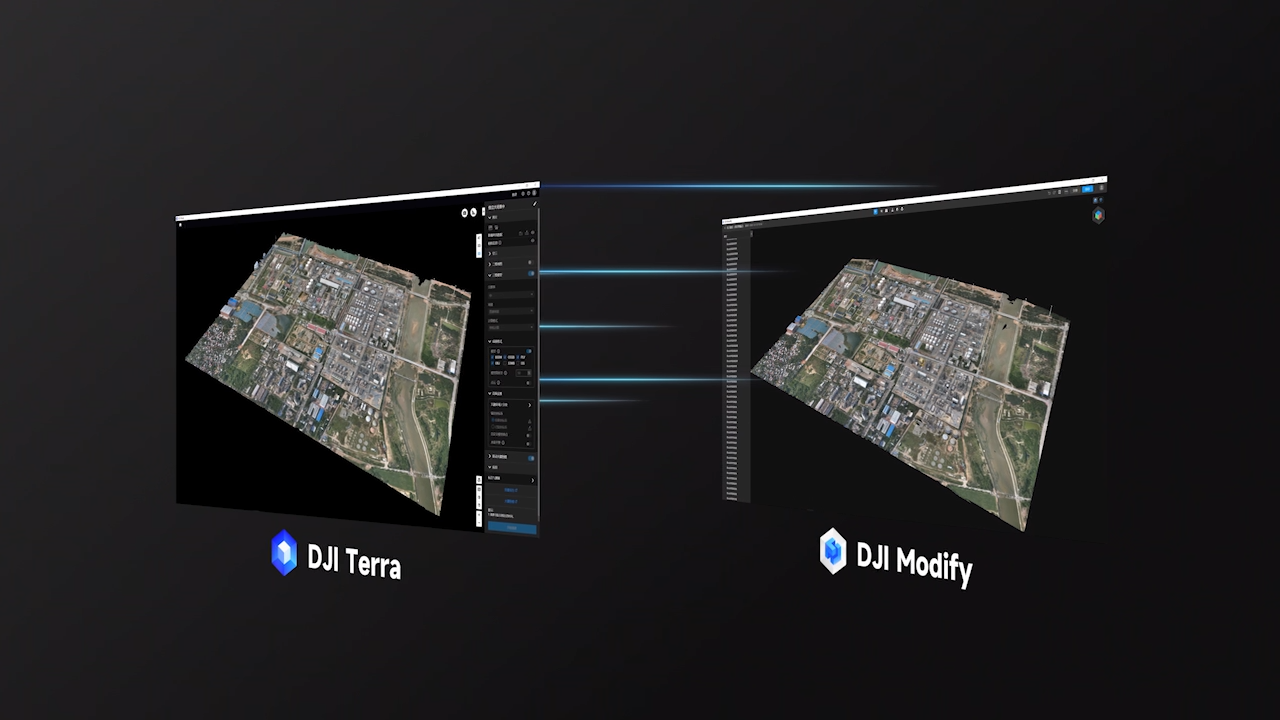
Seamless Workflow Between DJI Terra and DJI Modify
DJI Modify is DJI’s first intelligent point cloud and 3D mesh editing software, supporting terrain output formats that can be directly imported into popular GIS and CAD platforms. When paired with DJI enterprise drones and DJI Terra, the system forms an end-to-end solution covering surveying, modeling, editing, and sharing, meeting the needs of applications such as mapping, firefighting, emergency response, and transportation.
Minimal Interaction – Smooth Workflow
Simple and User-Friendly Interface
DJI Modify features a streamlined UI that allows users to get started quickly without extensive training. Editing operations are optimized, tools are intuitive and easy to use, reducing manual effort during 3D model processing.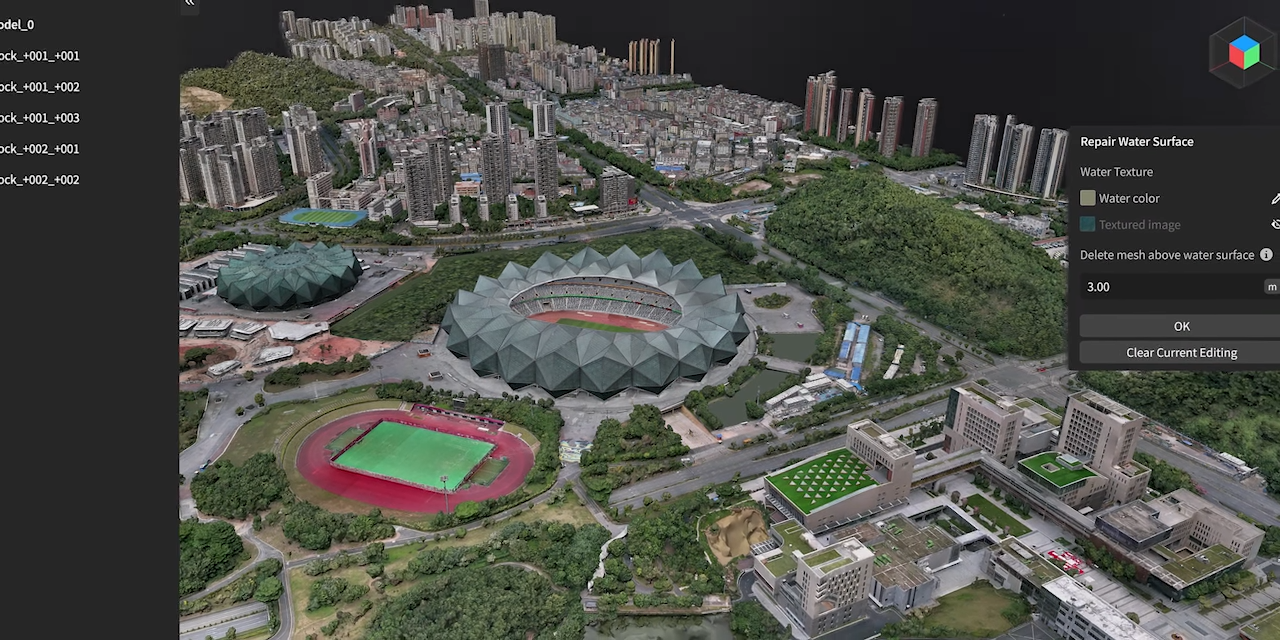
Efficient Workflow
No complex setup required — Modify enables fast model import/export, automatic texture repair, batch vehicle flattening, and more, significantly reducing workload. The seamless processing stages ensure fast and stable performance.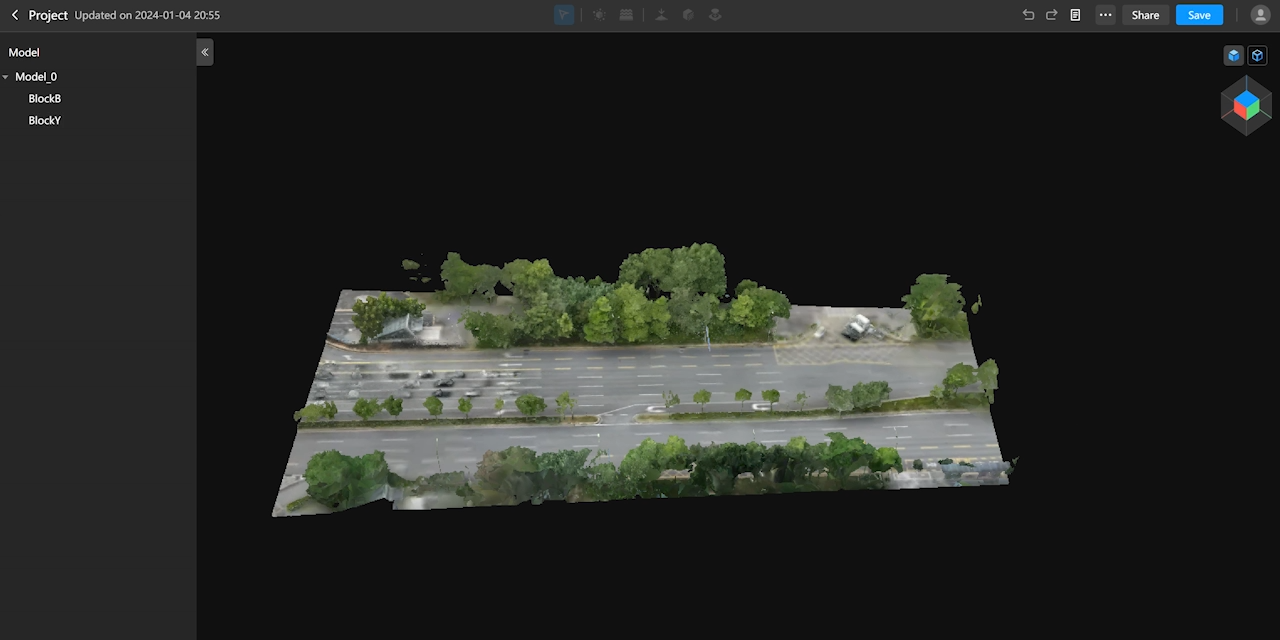
Parallel Display of High- and Low-Resolution Models
Thanks to optimized rendering technology, DJI Modify supports editing both high-resolution and low-resolution models within a single interface. All changes sync in real time, enabling efficient processing across various scenarios.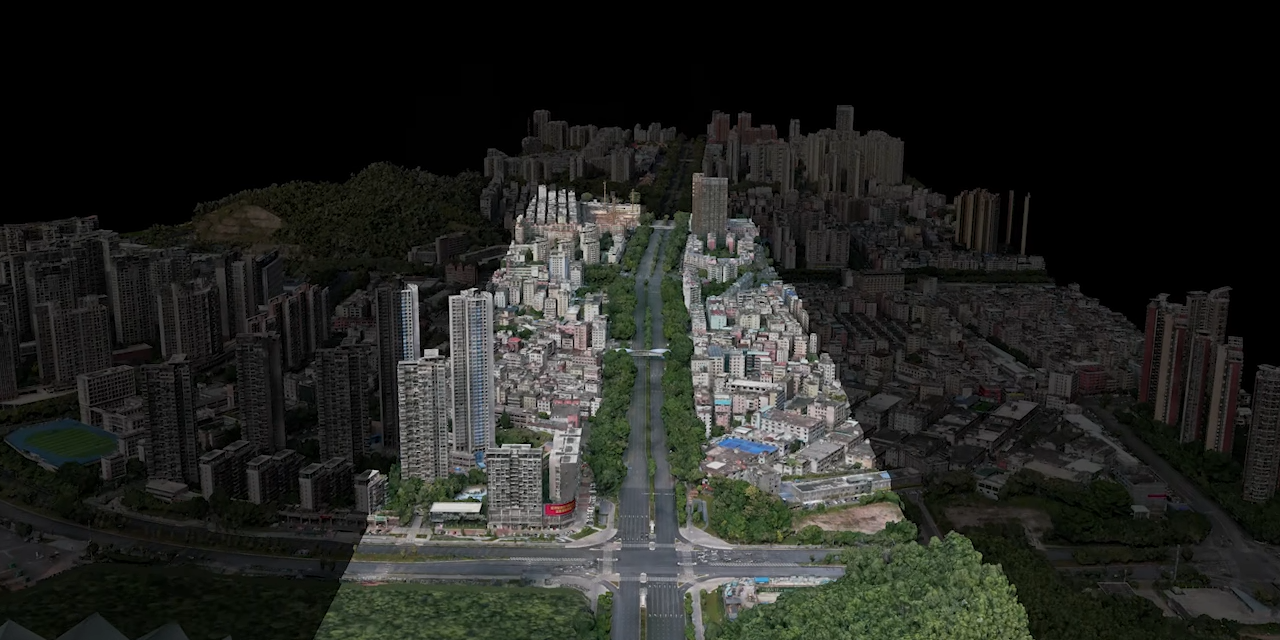
Multiple Point Cloud Display Modes
Supports point size adjustments and multiple visualization modes: RGB, Elevation, Class, Intensity, and Number of Returns. Allows simultaneous RGB + Class display to enhance point cloud classification efficiency.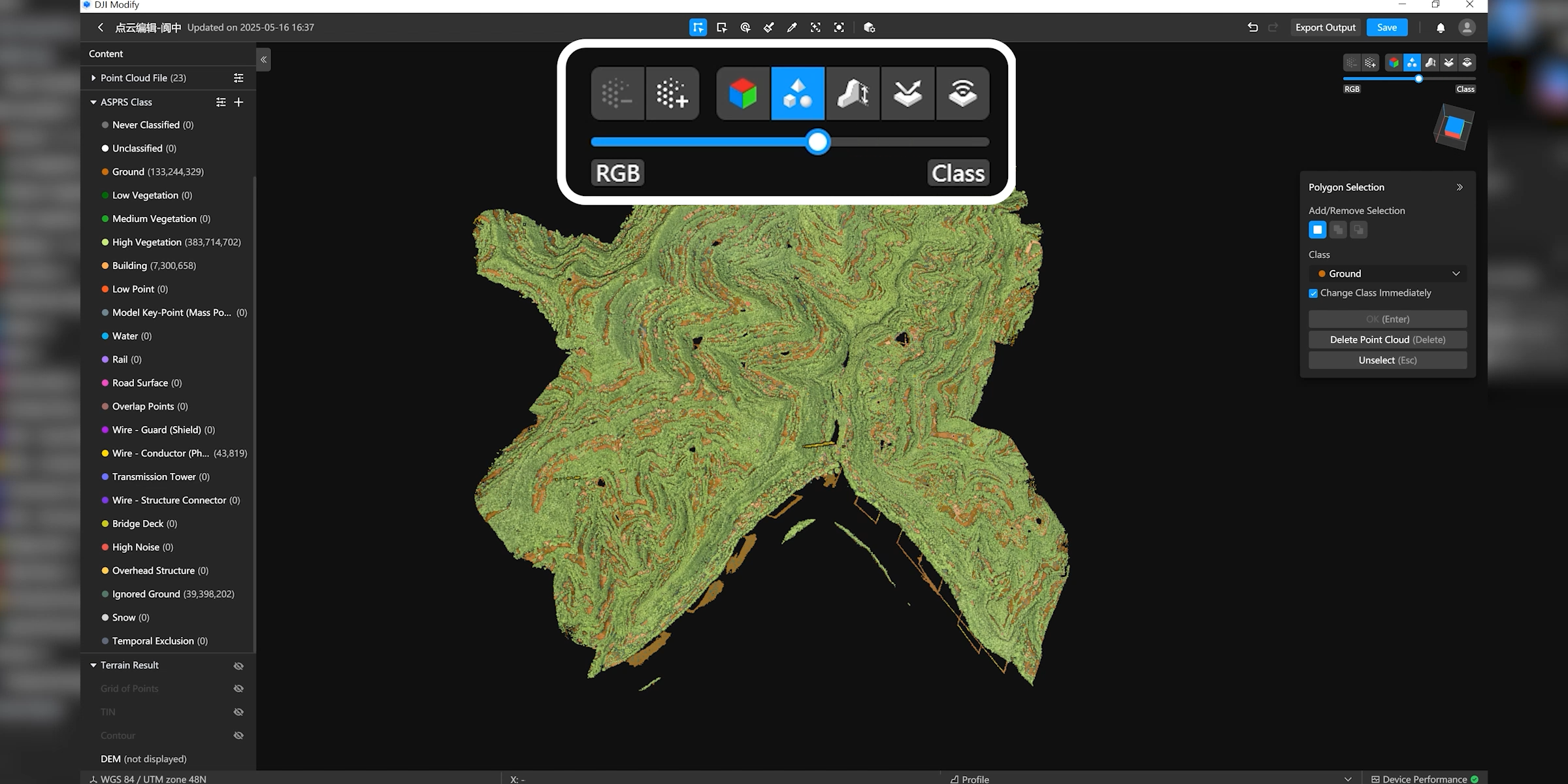
Efficient Point Cloud Editing
Smart Filter
Smart Filter is ideal for urban environments and areas with many structures, supporting automatic classification of ground, vegetation, buildings, power lines, utility poles, vehicles, and dynamic objects. After classification, users can refine results using tools like Quick Selection or Structure Selection to improve accuracy.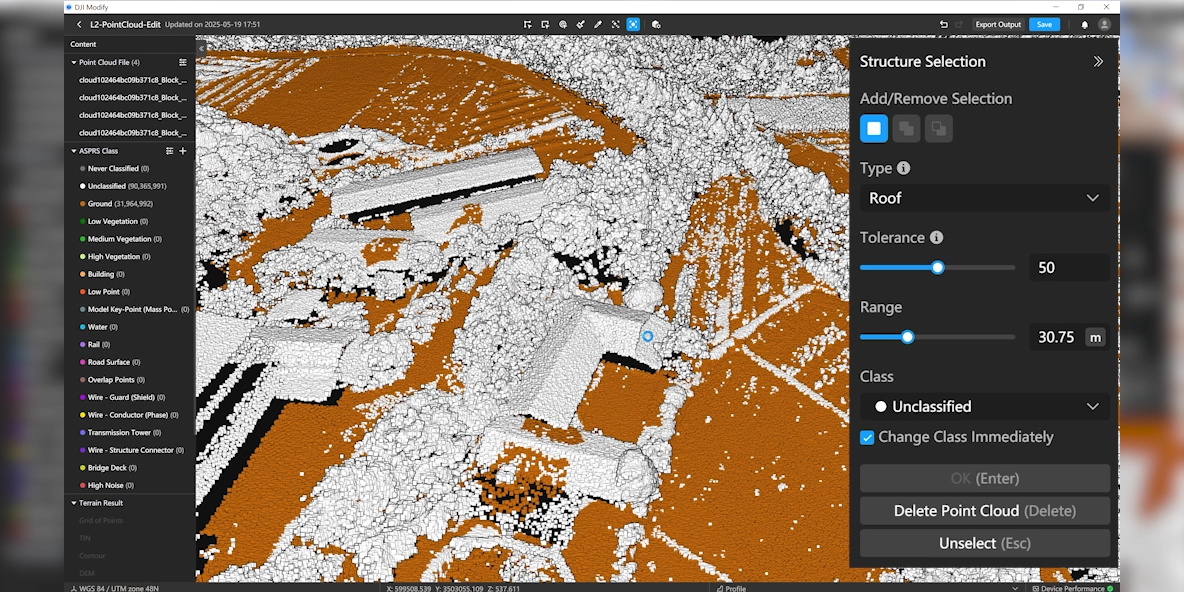
Manual Classification
If data is misclassified, users can reassign classes using Polygon Selection, Rectangular Selection, Brush Selection, or Single Selection. The Tolerance function allows fast selection of similarly colored points for one-click reclassification.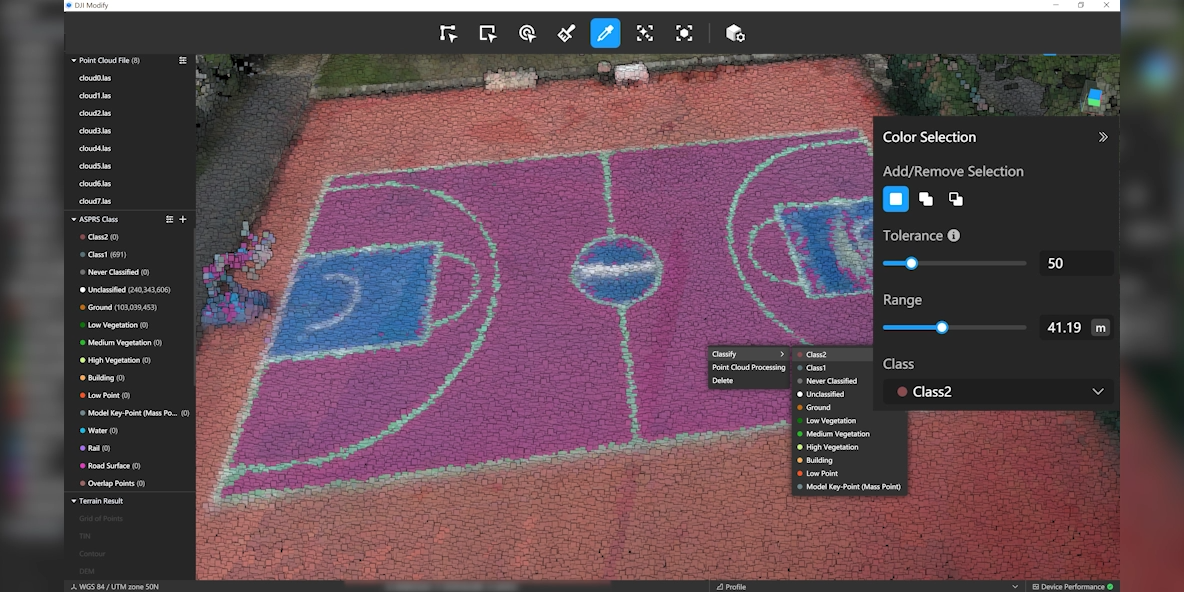
Point Cloud Processing
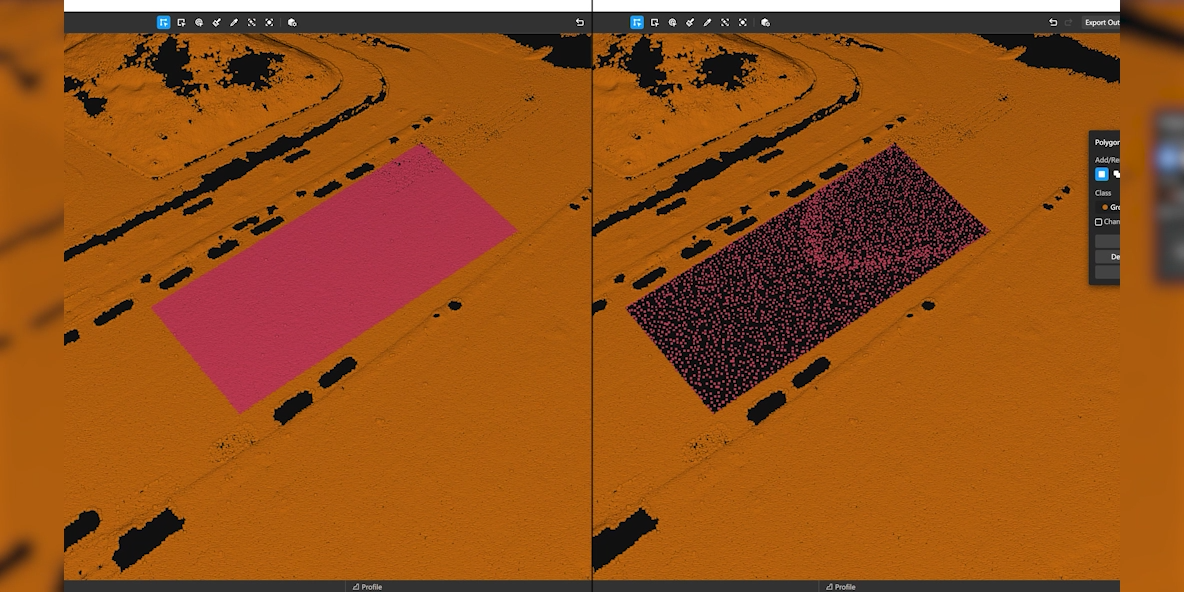
Supports denoising, downsampling, and smoothing for the entire point cloud or selected areas.
Denoising: removes stray points, improving overall data quality
Downsampling: reduces point density by distance or ratio
Smoothing: removes local noise for clearer surface structure
Terrain Data Generation
Supports processing ground-classified points to generate DEM, contour lines, point grids, TIN meshes, and more for surveying, planning, and engineering applications.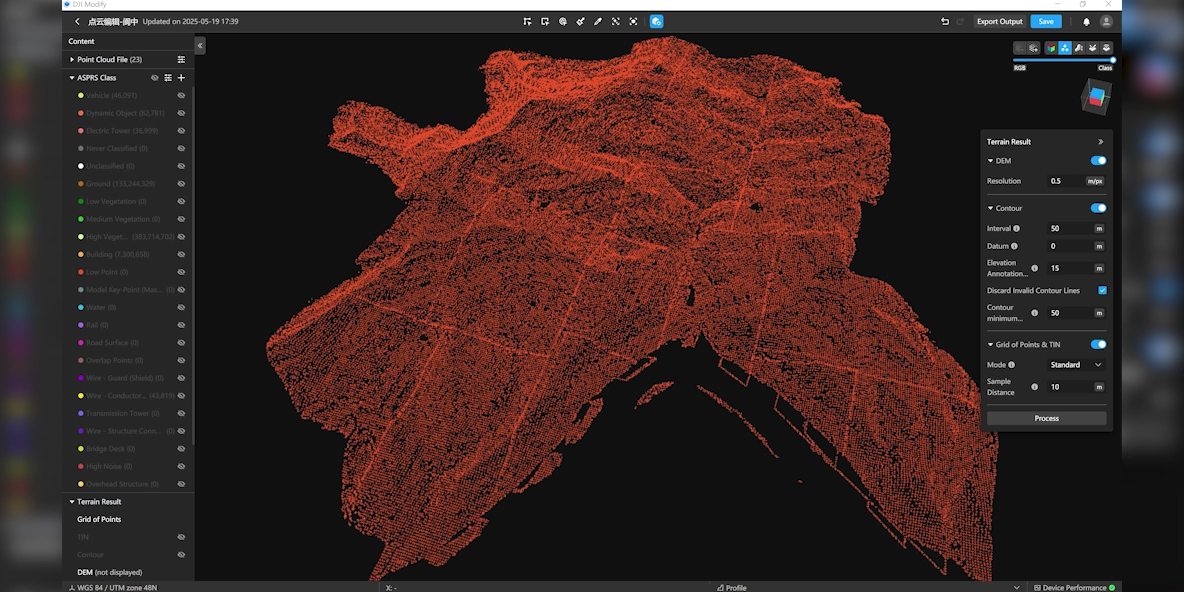
Efficient 3D Model Editing
Remove Floating Objects
Allows selecting multiple elements or individual fragments, then deleting them instantly using the Remove button or Delete/Backspace. Results update immediately.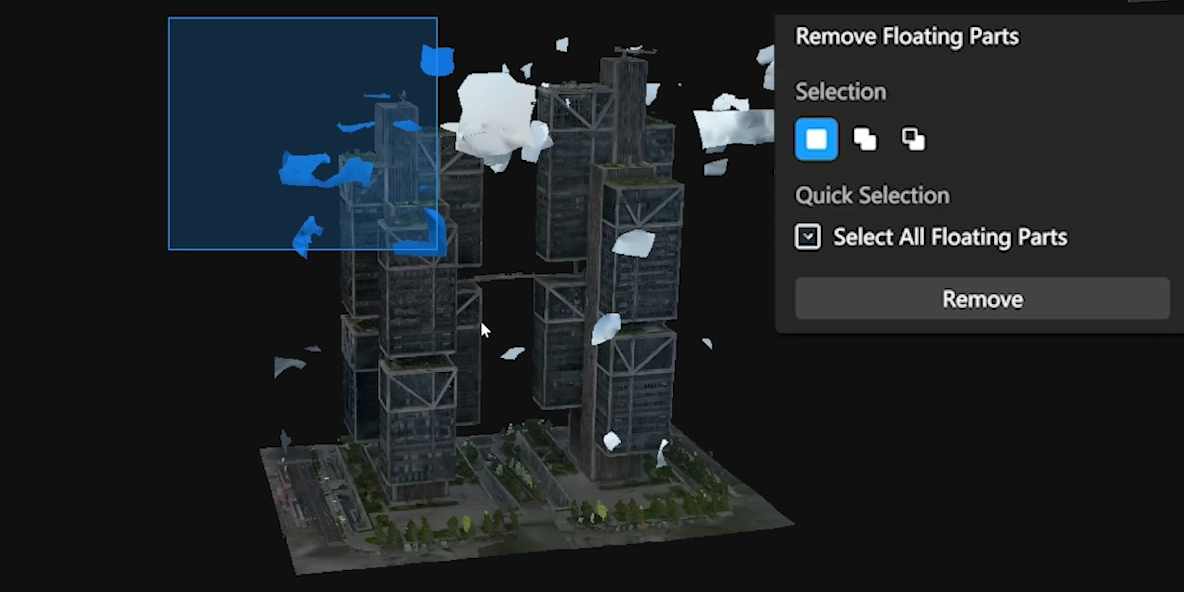
Vehicle Flattening
Users can select vehicles by area or simply press the Vehicle button for automatic detection. After choosing the Flatten command, Modify flattens the entire vehicle mesh and smooths the texture for a natural result.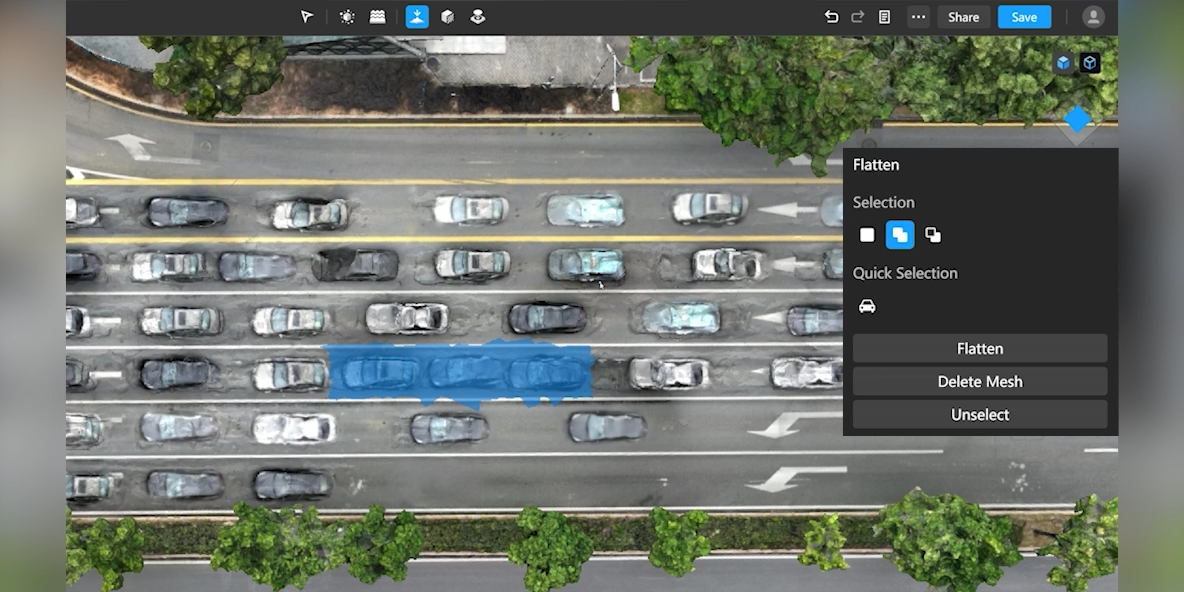
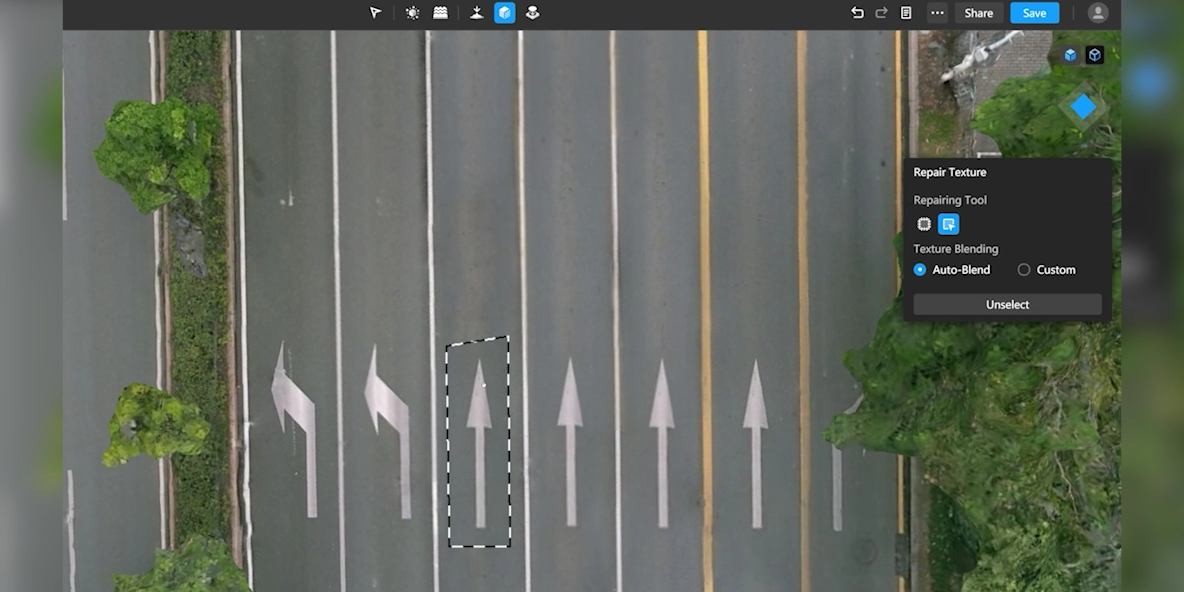
Texture Repair
Erase: automatically fills and blends the target area based on surrounding texture
Clone: lets users copy texture from another area; Modify automatically blends the edges for consistency
Hole Filling
Modify automatically detects holes, outlines the boundaries, and highlights them. Users simply select the region and repair with one click — the software reconstructs the texture to match.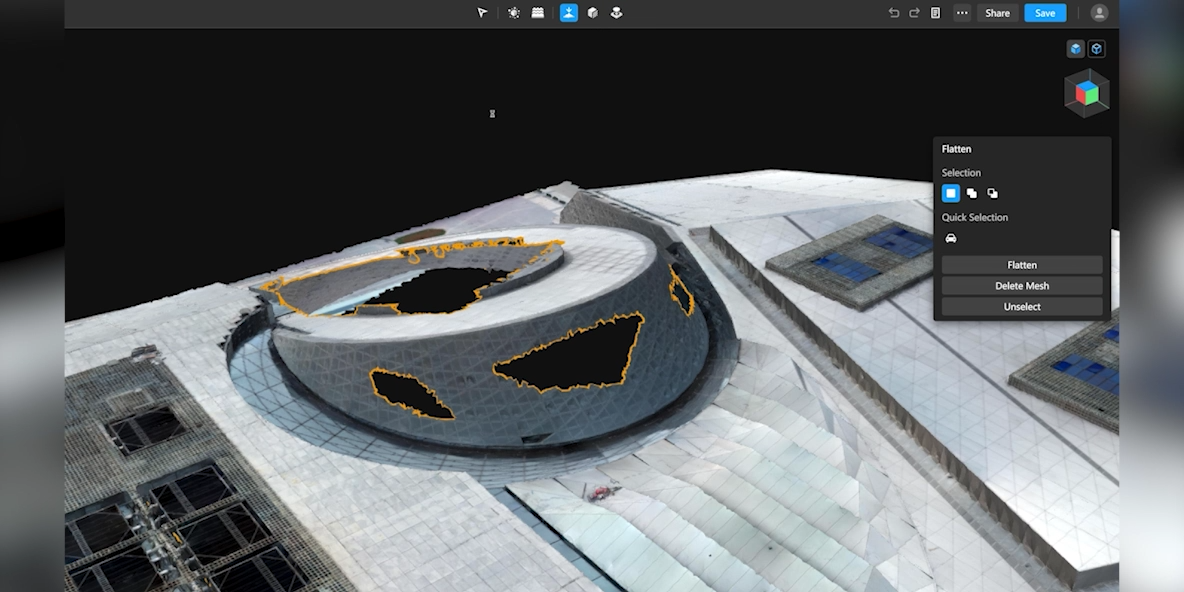
Water Surface Restoration
Users can draw the water area, adjust position, size, and height, and choose a texture or color to create a realistic water surface.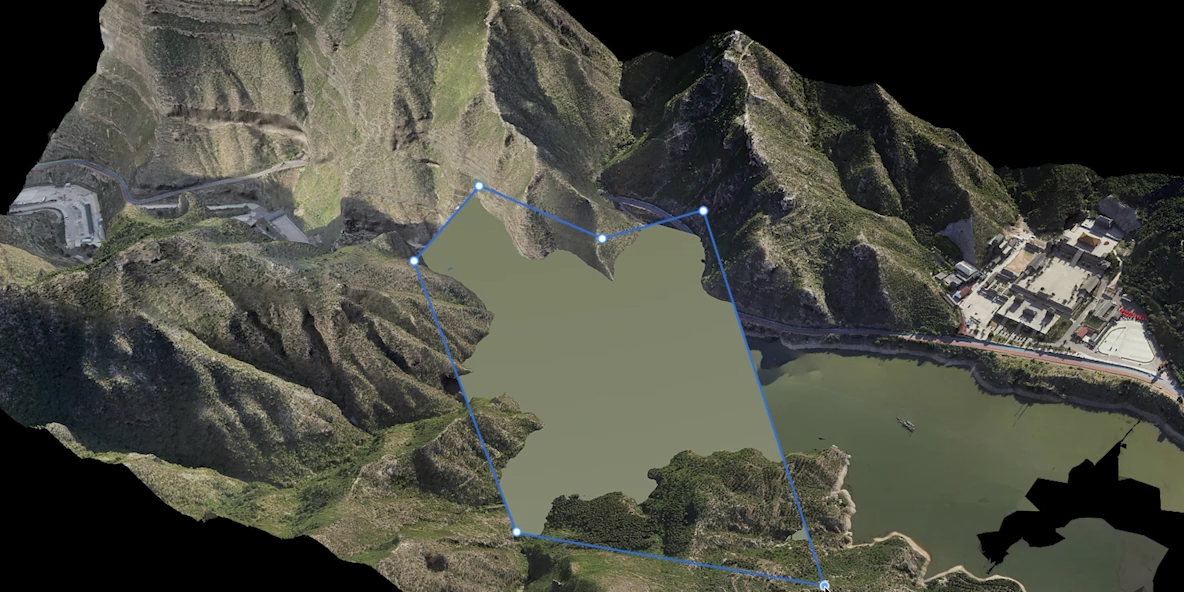
Cloud Sharing – Fast Delivery
DJI Modify supports exporting models in multiple formats such as PLY, OBJ, B3DM, and more — fully compatible with DJI Terra and third-party platforms.
Processed models can be shared online via cloud, allowing others to view them directly on web or mobile devices without installing software.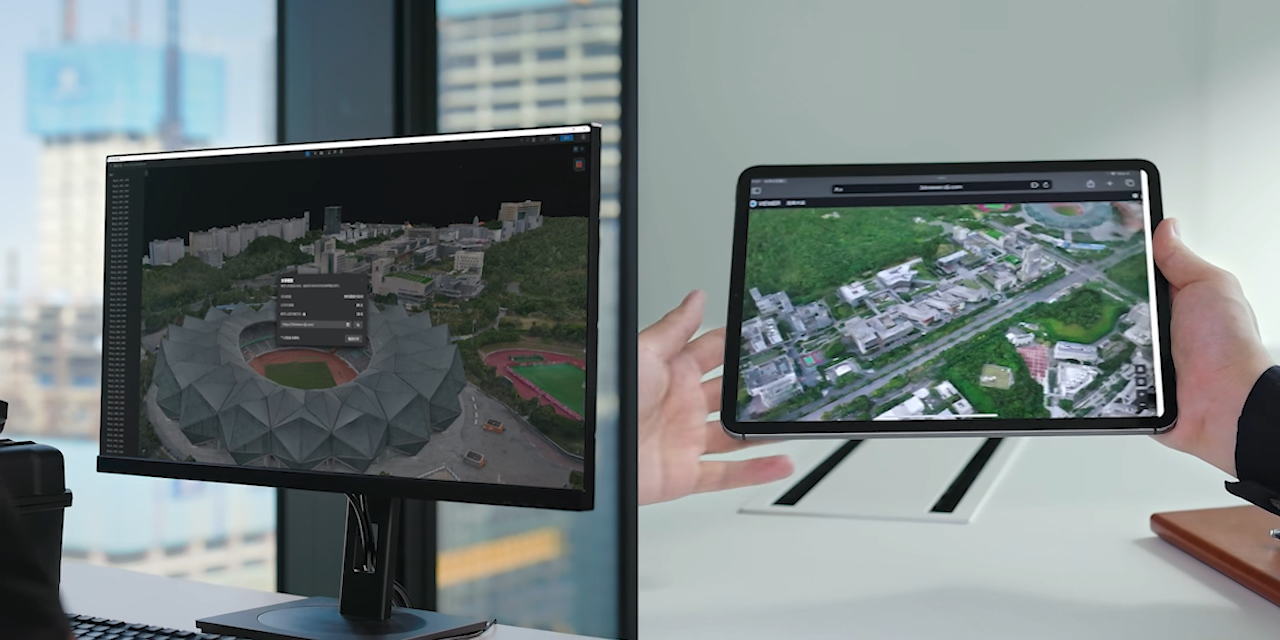
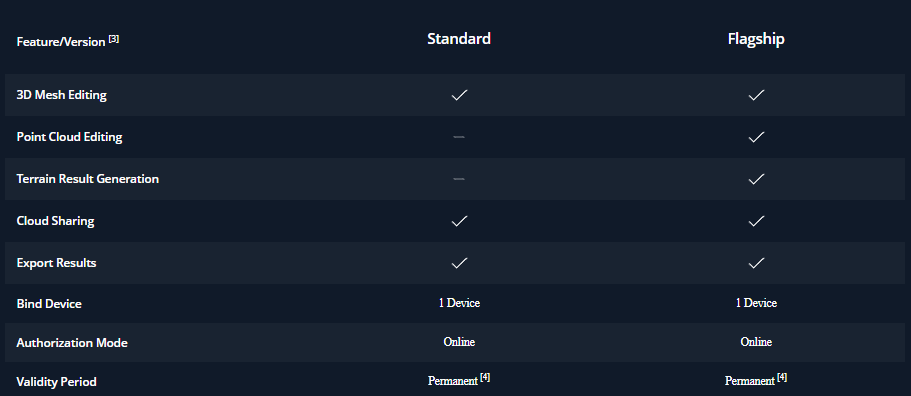
Plan Comparison